Verde: Plant Watering Reminder
Choose from 60 houseplants and Verde sets when to water, feed and mist each one.
Join the tester group first, then opt in and install the app from Google Play.
Screenshots
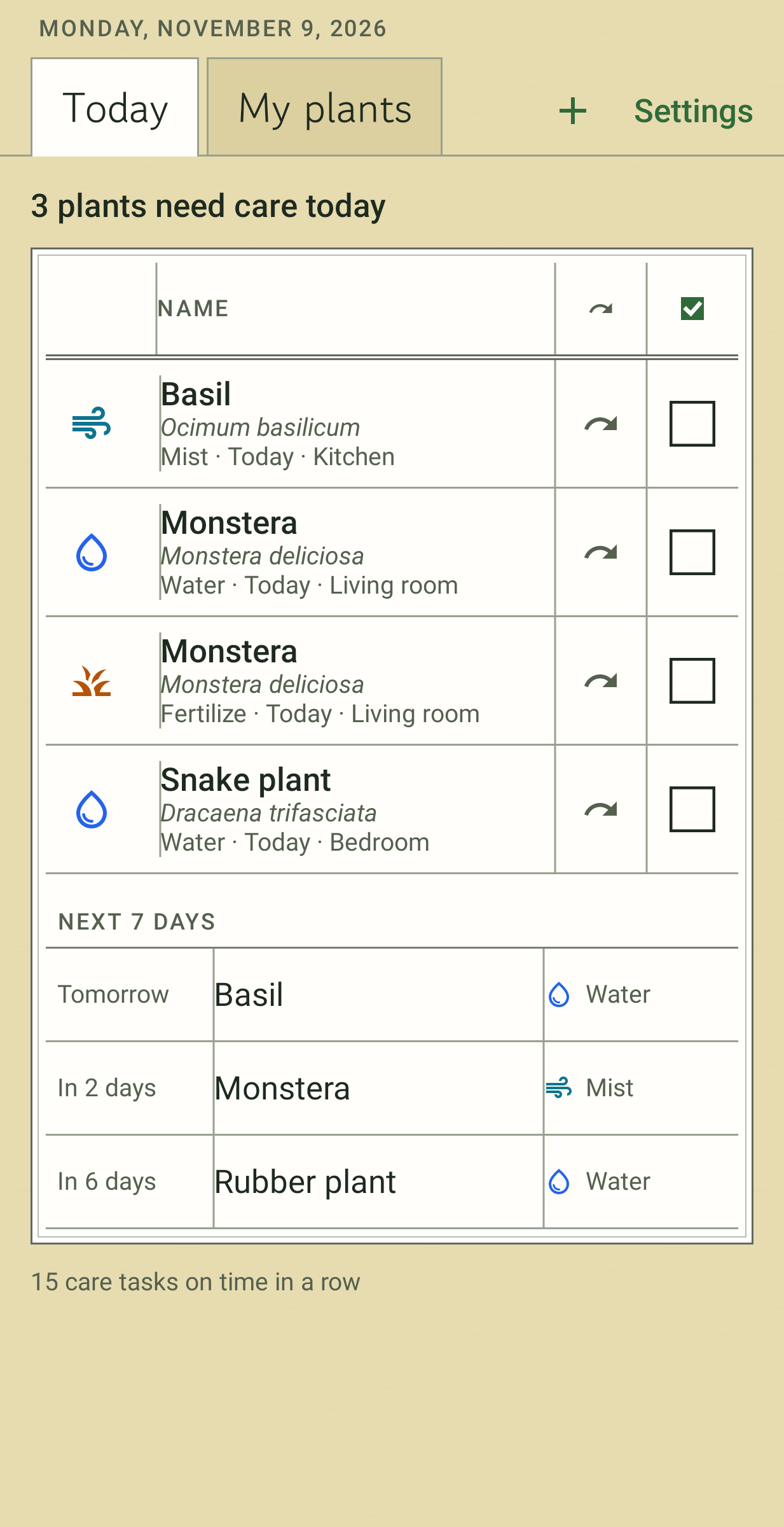
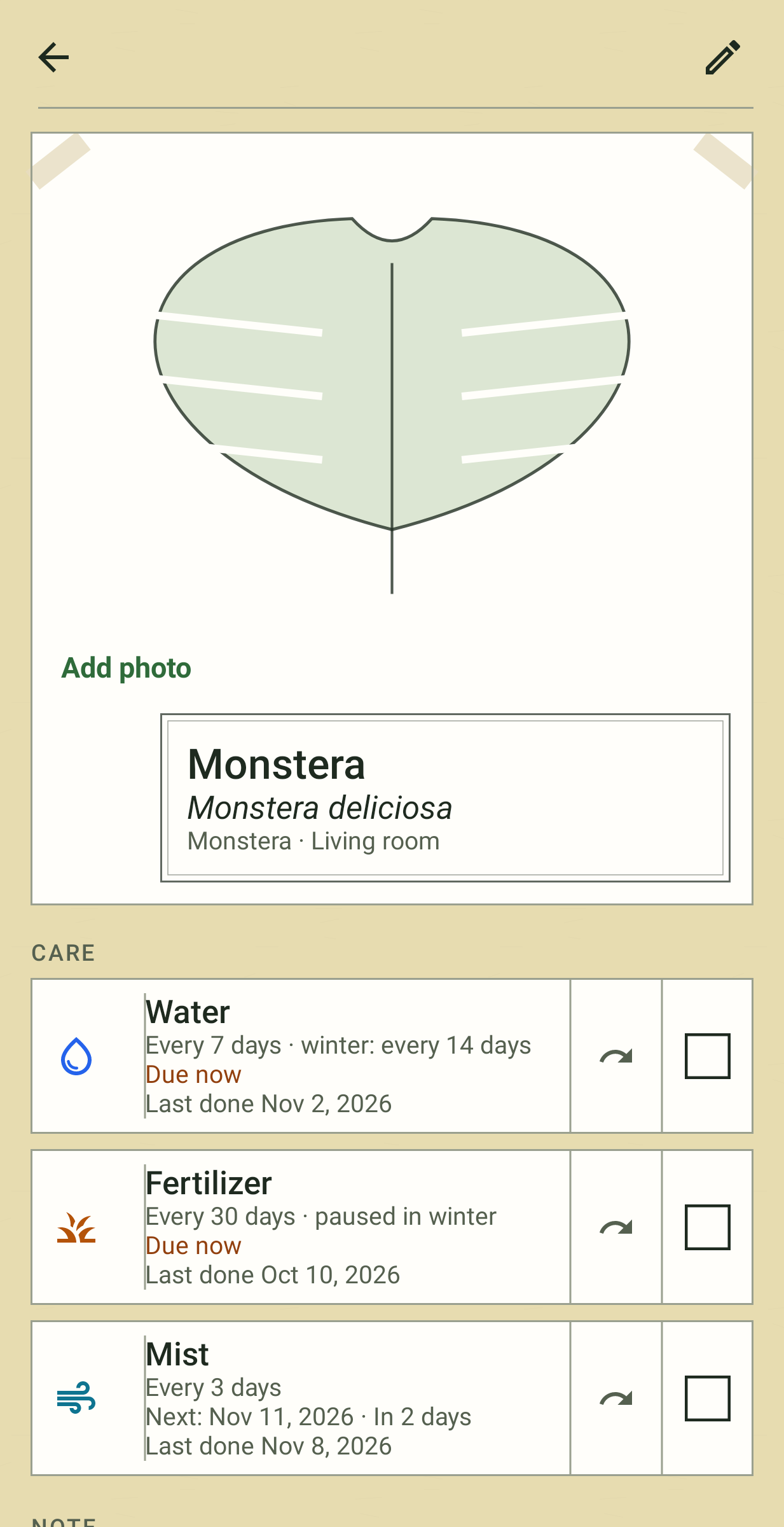
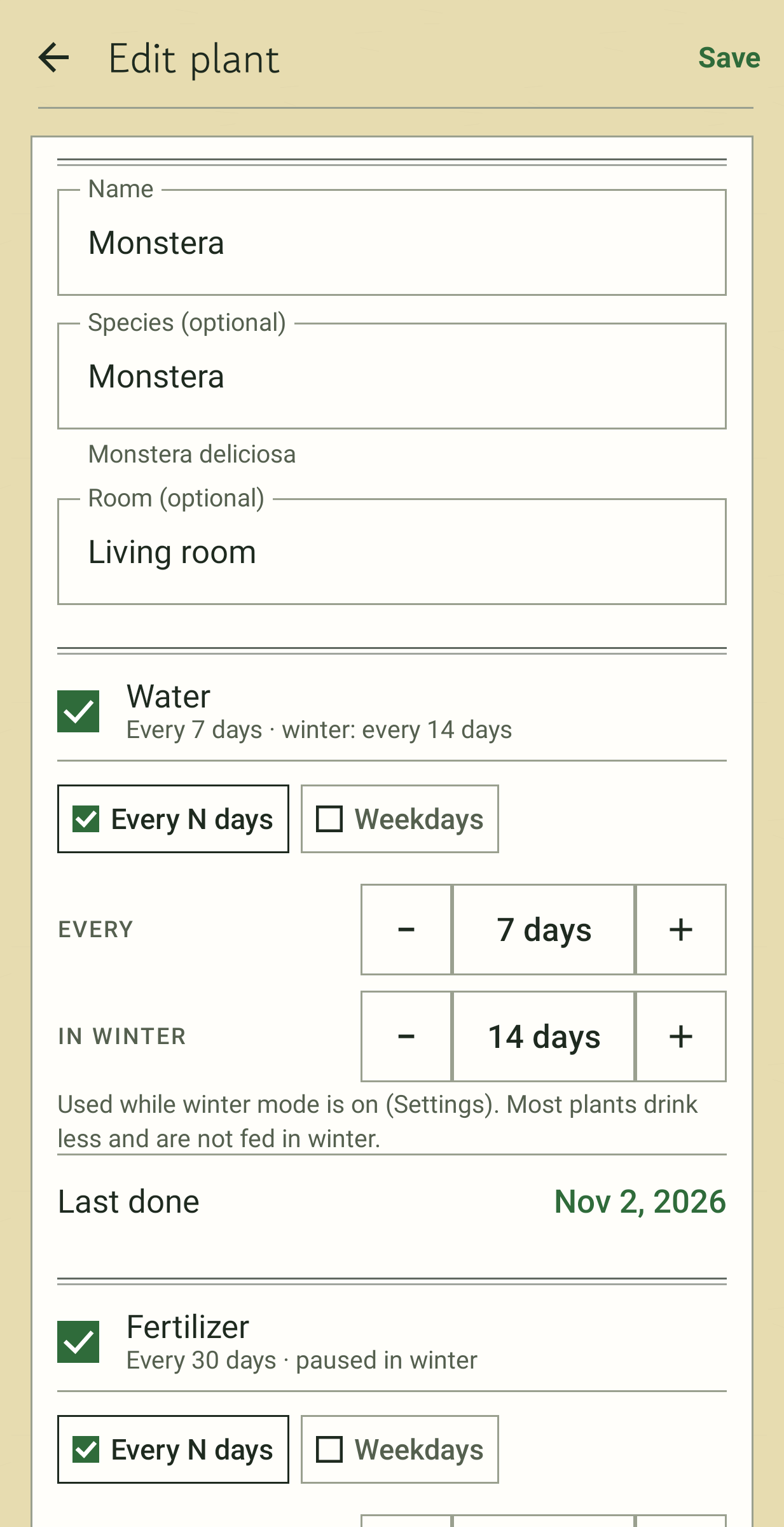
Add a plant, find its species in a table of about 60 common houseplants, and Verde fills in a starting schedule. A monstera, for example, gets water every 7 days, fertiliser every 30 and misting every 7, with watering stretched to every 14 days in winter. Change any interval, switch to set weekdays, or type a plant the table doesn't have. Add as many plants as you have; there is no cap, and the watering reminders need no subscription.
The Today tab
Plants that need something today appear as cards. Swipe a card to mark it done or skipped. Skipping moves the next reminder a full cycle out, so you are not asked again tomorrow.
My plants
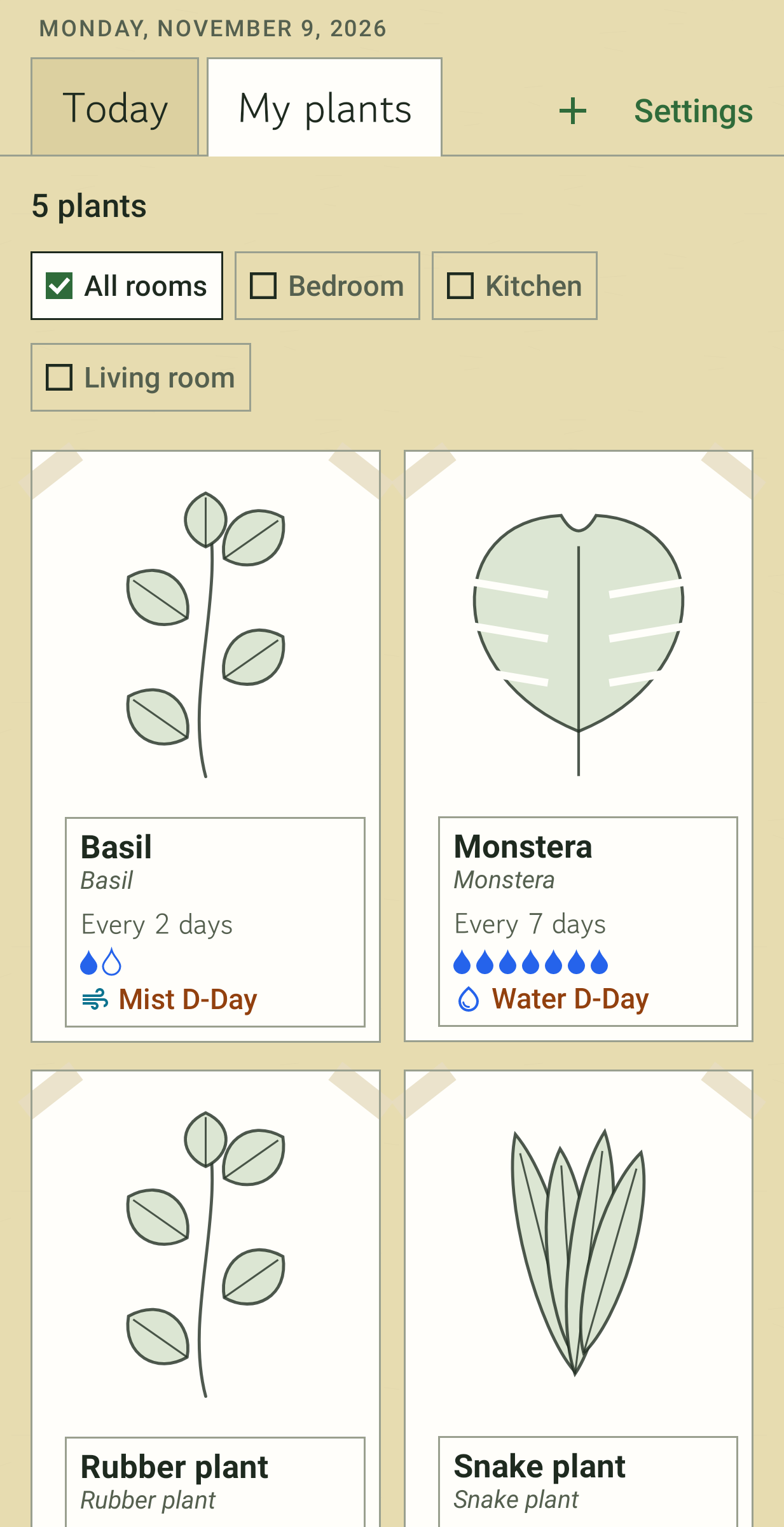
A grid with each plant's photo, name and next care as a D-day. Open a plant for its schedule, its full care log and a note. You can filter by room, and repotting reminders sit alongside watering, feeding and misting.
Winter
One switch sets longer watering intervals and pauses feeding for the cold months.
Notifications
By default one notification a day says how many plants need care. You can switch to one per plant, each with a Done button. A home-screen widget lists today's plants with a check box for each, and care statistics show your on-time streak.
Who made it and what it keeps
Reminders are the reason to install a plant app, so I decided Verde would never charge for them, or for the number of plants. Nothing in it is for sale and there are no ads. Photos come in through Android's photo picker, which means Verde never asks for access to your gallery. There is no internet permission, no account and no analytics; your data leaves the phone only as a CSV or JSON file you export, or in Android's own device backup if you have it on.
The species intervals are a general starting point. Light, pot size and season change what a plant needs, so adjust them to what you see.