
Strada: Car Maintenance Log
Log fuel and service for real mileage and oil reminders by km and months.
Join the tester group first, then opt in and install the app from Google Play.
Screenshots
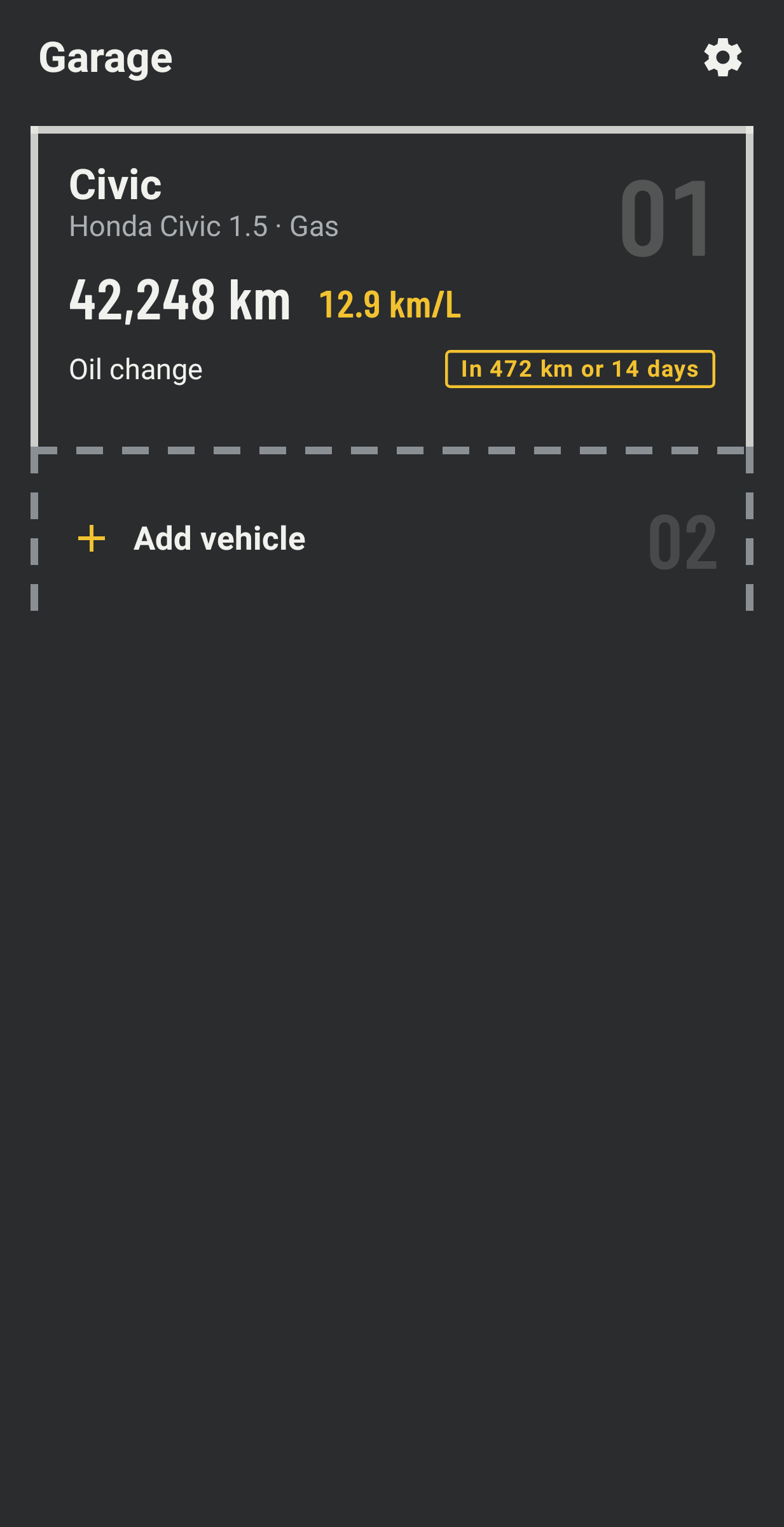
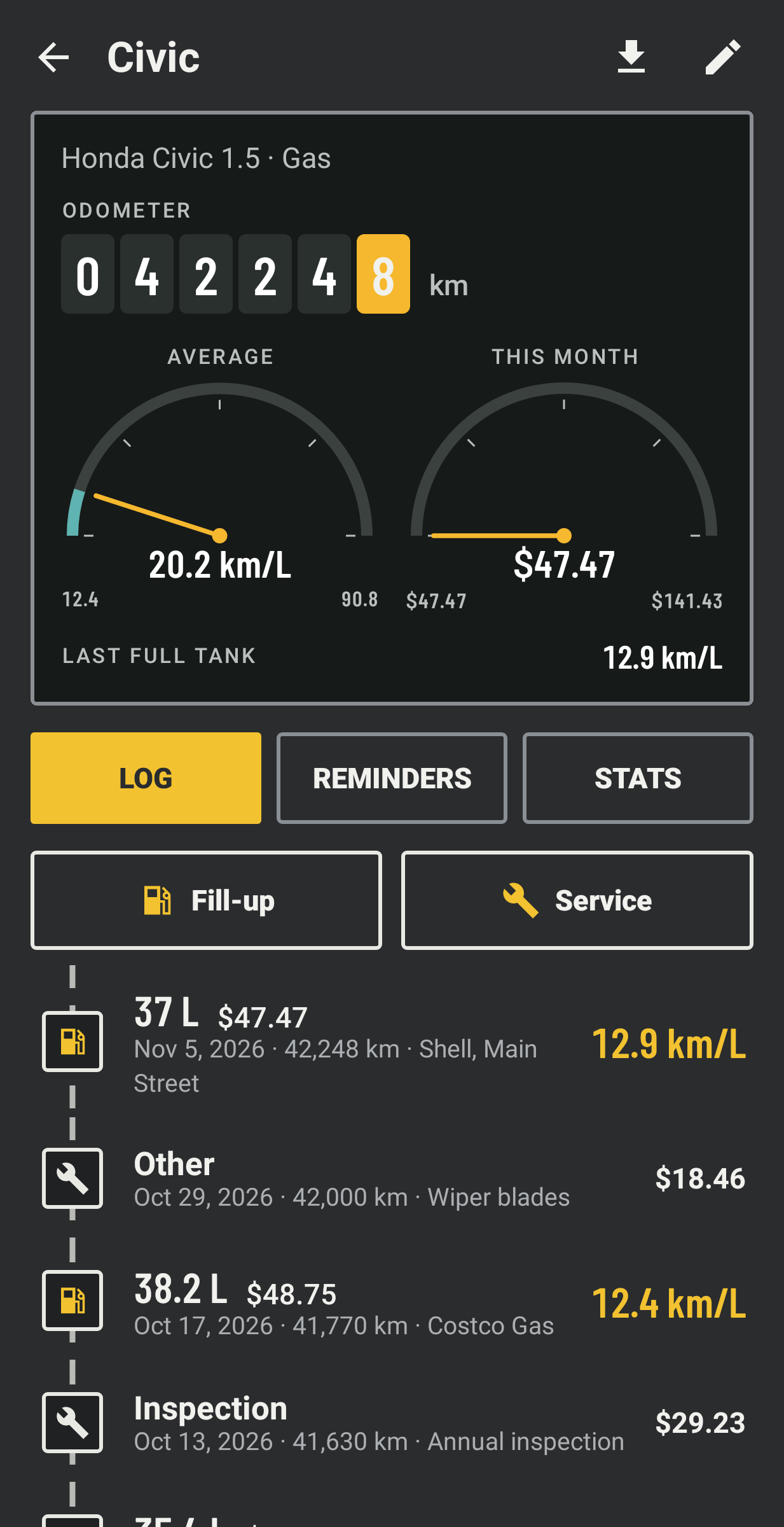
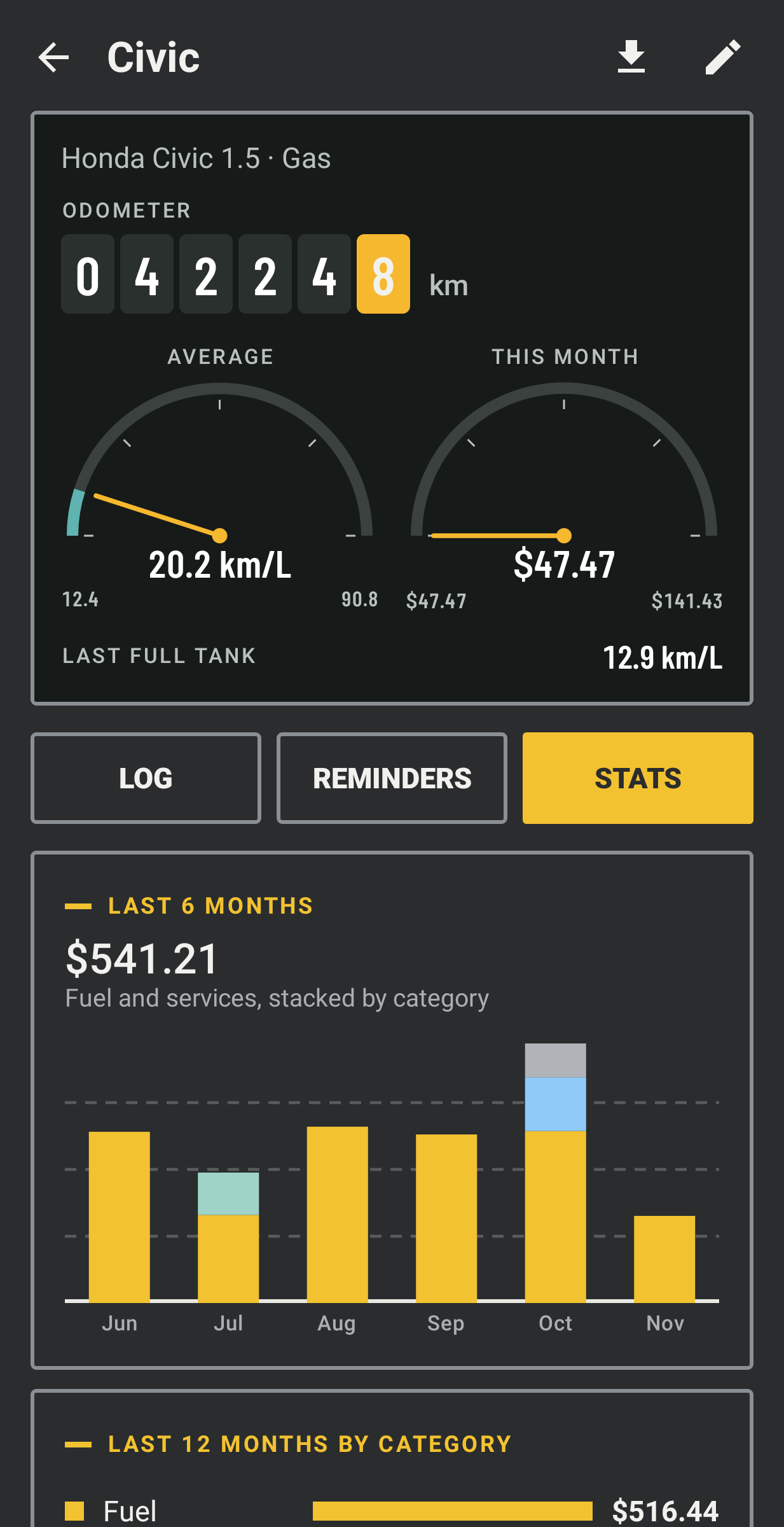
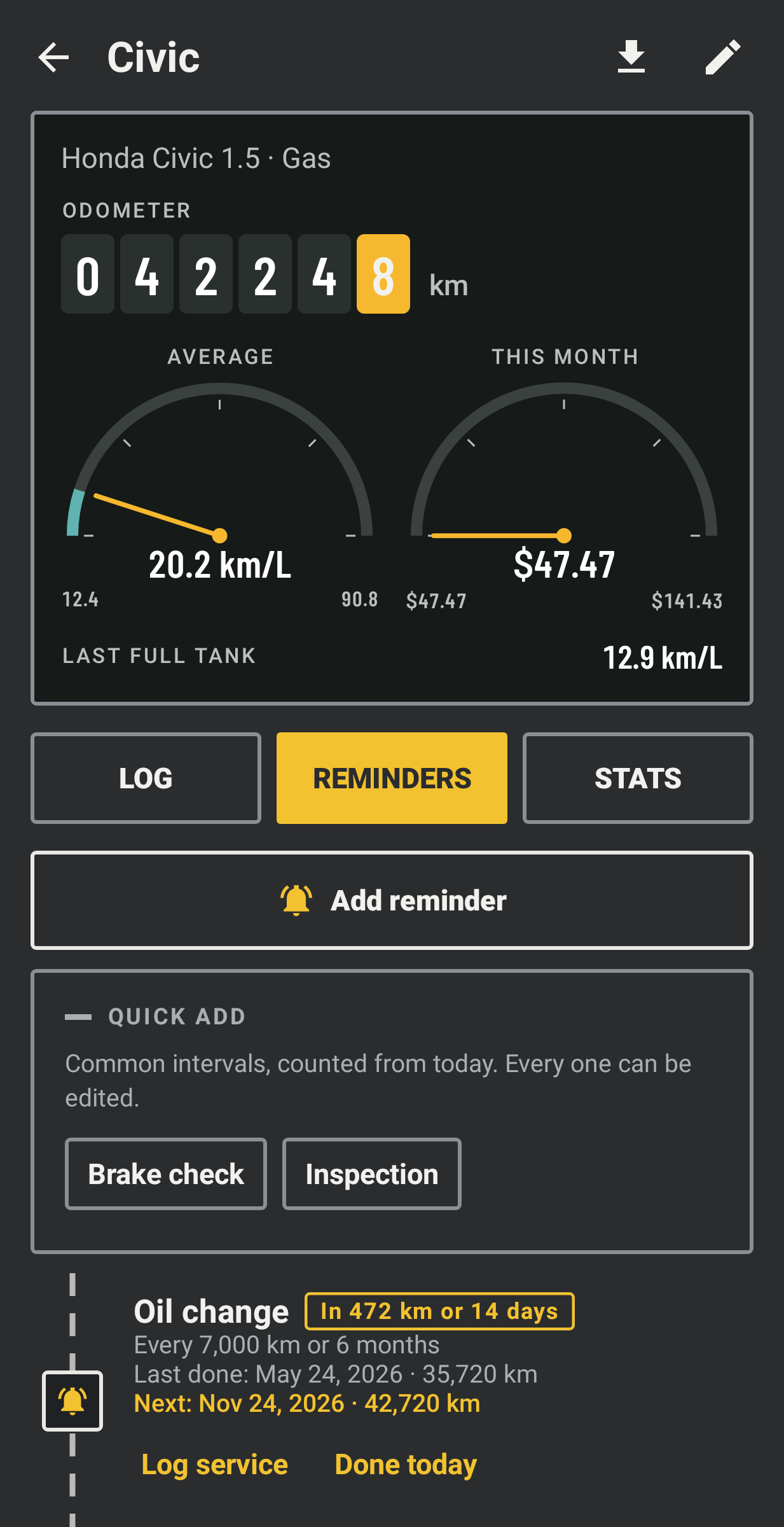
Strada is a logbook for your car. Write down fill-ups and services, and it works out your real fuel economy and tells you when the next service is coming. There is no yearly fee to turn ads off and no subscription.
Filling up
Enter the litres (or gallons, or kWh) and either the price per unit or the total paid, and Strada works out the other. Mark a fill-up as a full tank and economy is measured from one full tank to the next, with any partial fills in between added in, the way you would do it by hand at the pump. Each vehicle can show km/L, L/100 km or mpg, and switching later converts everything already logged.
Services
Oil, tyres, brakes, battery, inspection, insurance renewal, a car wash or anything you name. Each entry has a date, the odometer reading, the cost and a note.
Reminders
Set one by distance, by time or both, for example oil every 7,000 km or 6 months, whichever comes first. Once a day Strada compares today's date and your latest odometer reading, warns you two weeks or 500 km ahead, and again when it is due. Logging that service starts the count over (a reminder for something you named yourself restarts when you mark it done). Insurance renewal is simply a date to remember.
Stats
Spending per month by category, how your fuel economy has moved, and cost per km for everything or for fuel alone. Petrol, diesel, LPG, hybrid and electric vehicles all work, and you can add as many as you own.
A note on data
I built Strada so the record of your car stays with you. There is no internet permission, no account, no analytics and no location tracking, and it doesn't connect to a bank or a card, since every cost is a number you typed. It is free and there is nothing to buy in the app. A 2×2 widget shows the next service and the last economy figure. Export a JSON backup, or a CSV per vehicle for a spreadsheet, and restore the backup on a new phone.