Banchi: Class Seating Chart
A classroom seating chart generator with random seats, fixed spots, pairs apart
Join the tester group first, then opt in and install the app from Google Play.
Screenshots
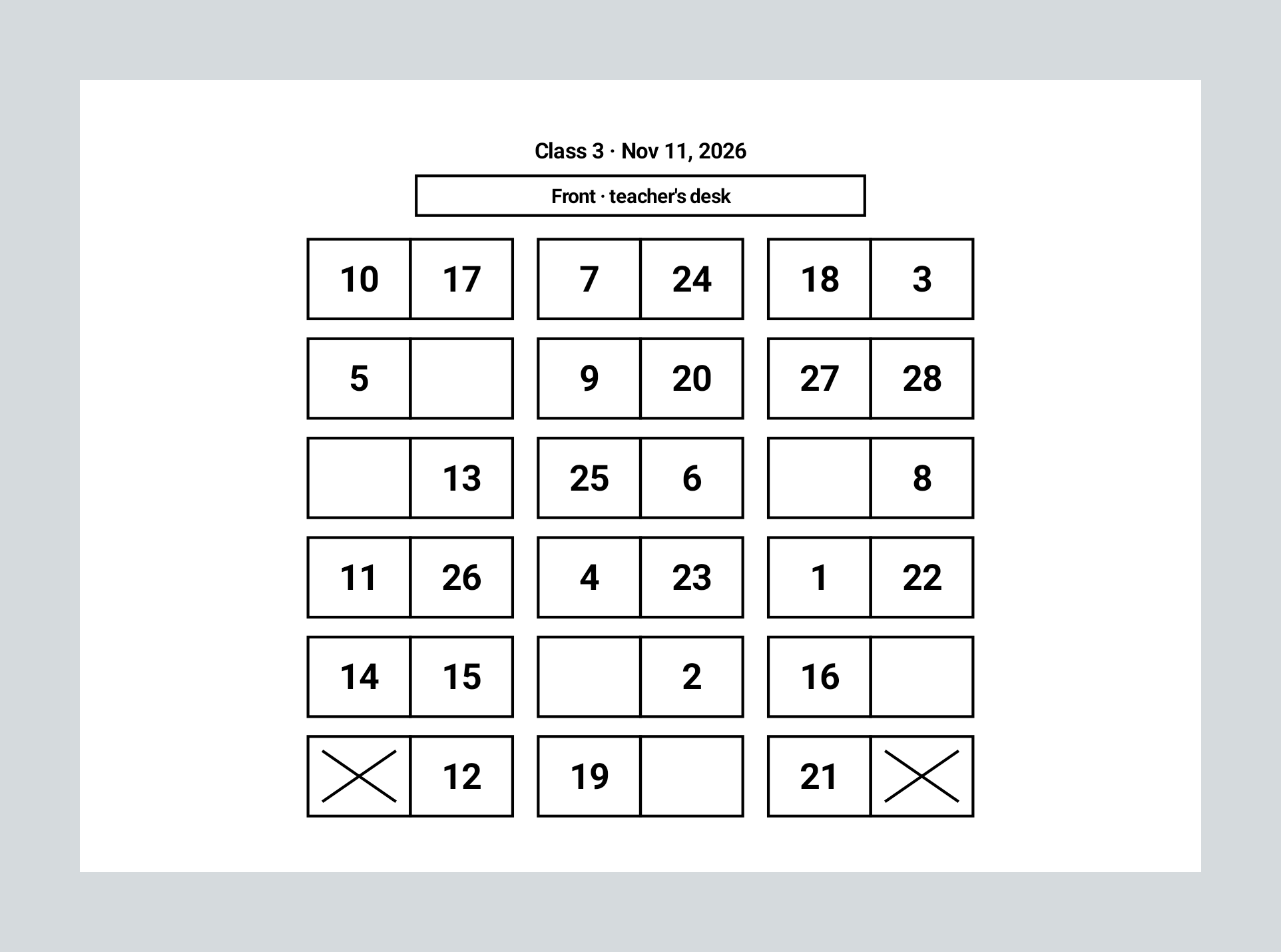
Banchi is Italian for desks. It changes a class's seats with one phone. Set up the room once, add the rules the seating has to keep, and draw the seats in front of the class on the classroom TV. Students are numbers, the app has no permissions and no internet access, and a name stays on this phone only when the teacher types it in. There is no sign-up and there are no ads.
Set up the room
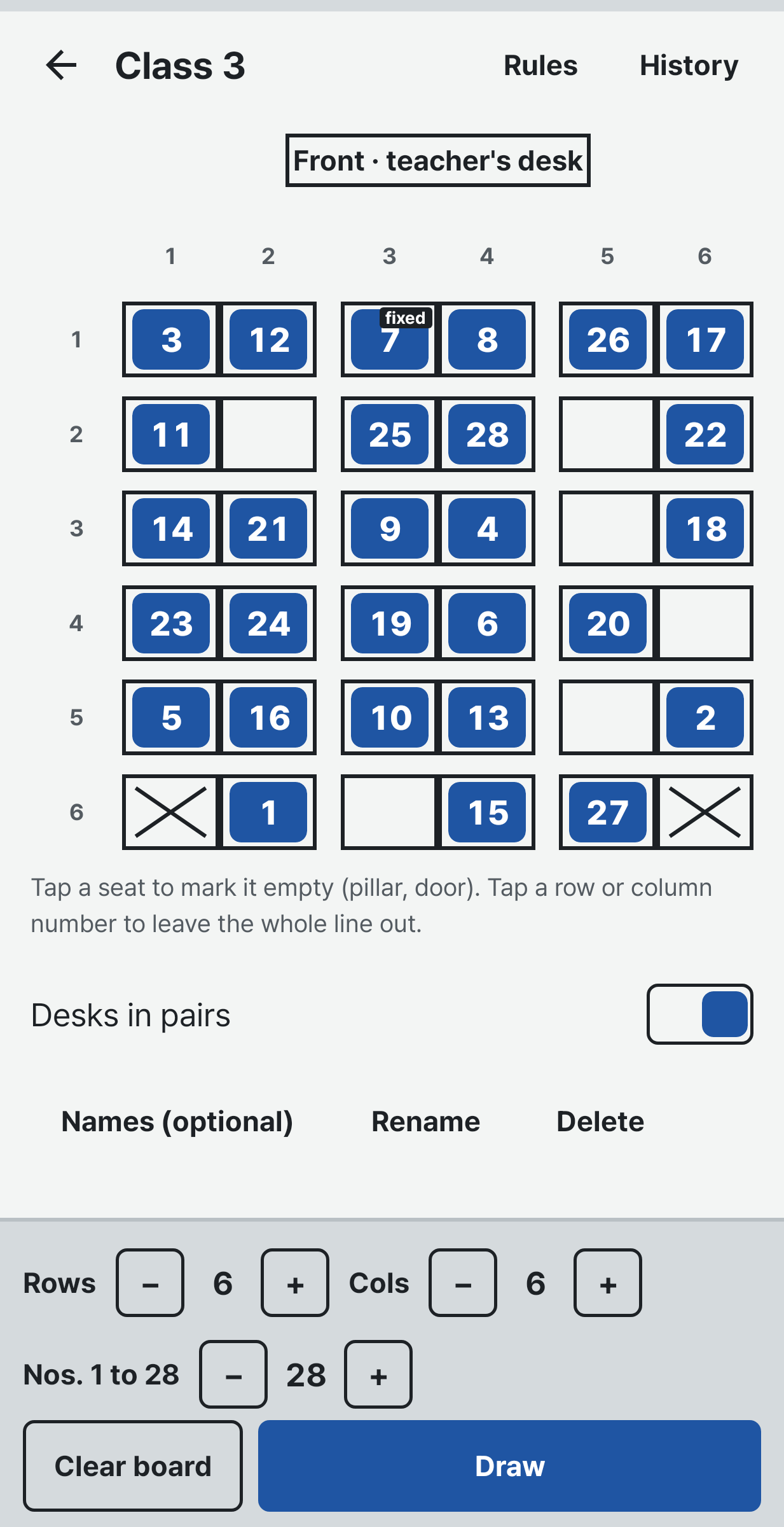
Up to 10 rows and 10 seats across, and up to 60 students. Turn on Desks in pairs if two desks stand together. Tap a seat with no desk, beside a pillar or the door, to leave it out, or tap an edge number to leave out the whole row. Keep as many classes as you like.
Five rules
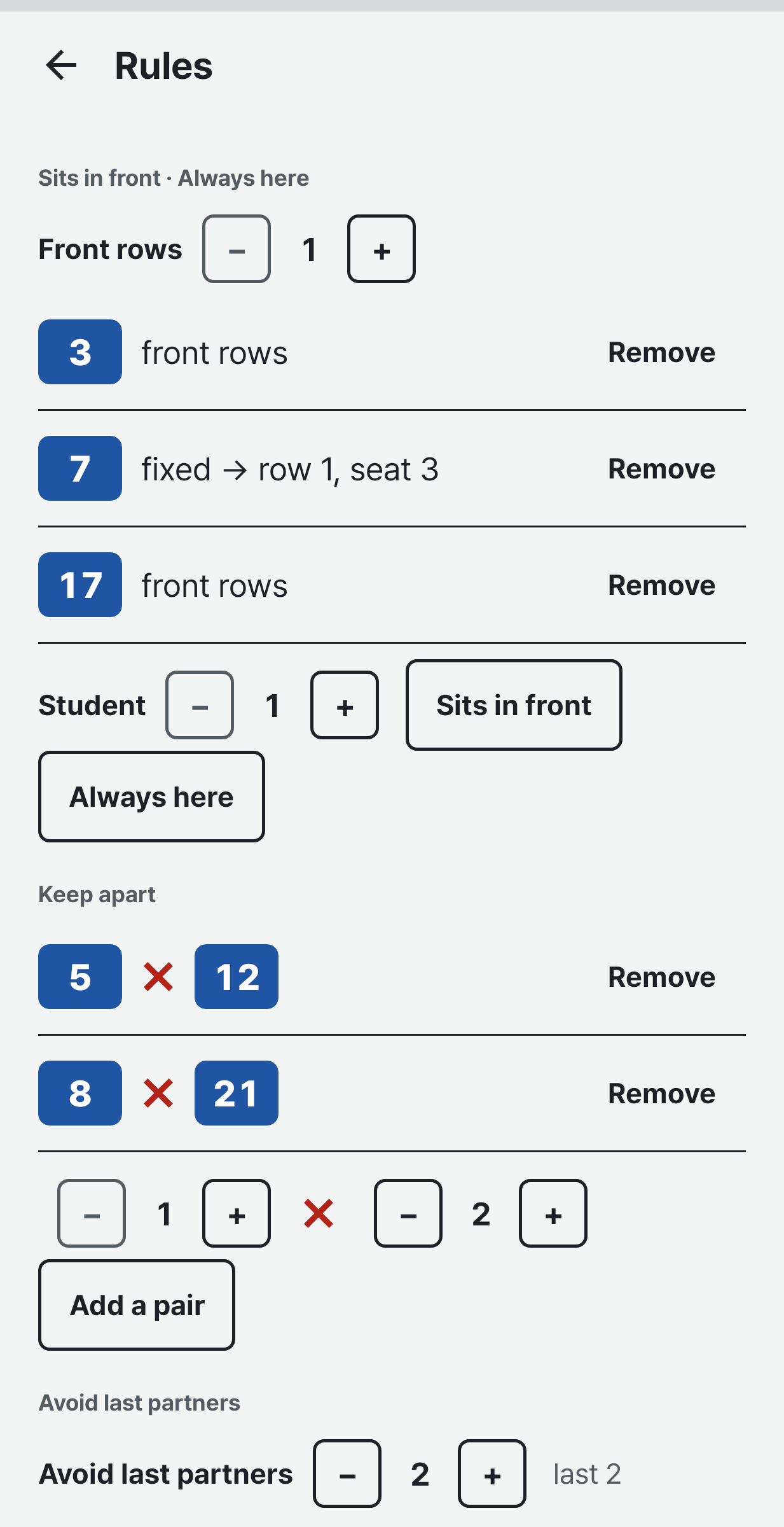
1. Always here. This student keeps this seat.
2. Sits in front. Choose how many rows count as the front, then the students who sit there.
3. Keep apart. Two students you pick never sit next to each other, in front, behind or beside. Diagonal seats do not count as touching.
4. Avoid last partners. Students who were partners in any of the last 1 to 3 confirmed seatings are not partners again. With desks in pairs your partner shares your desk; with single desks it is the seat right beside you.
5. Mix girls and boys. Only students marked F or M count, and marking is optional.
Every seating that keeps all the rules is equally likely to come out. When the rules cannot all be kept, Banchi says which one to loosen.
The draw
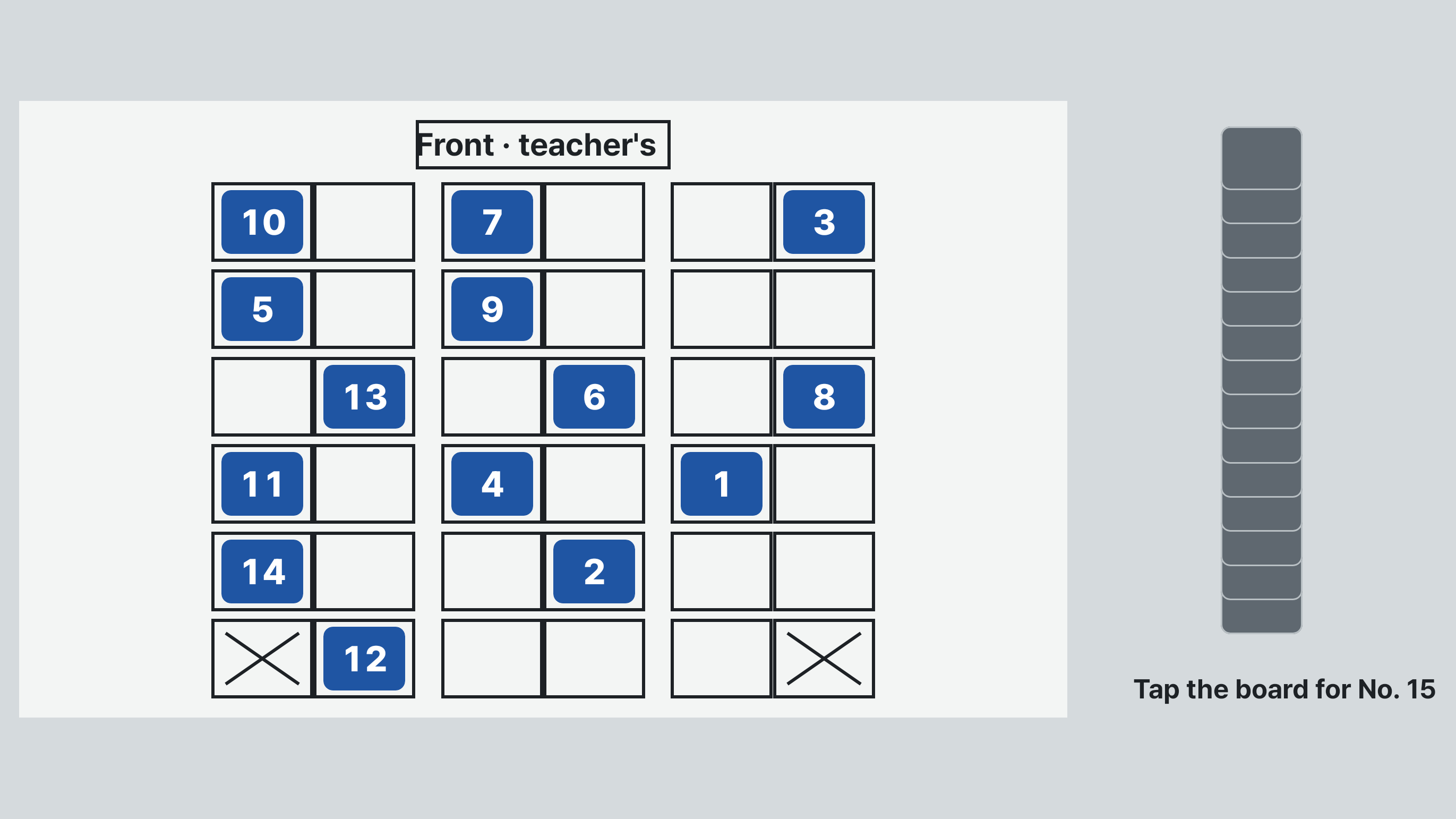
The draw fills the screen sideways, so with the phone connected to the classroom TV the whole class watches. Open one seat each time you tap the board, or let every seat open in turn at one of three speeds. Draw again if you need to, then confirm. A redraw is kept in the history too.
After the draw
Save it as a picture or as an A4 seat sheet (PDF). The sheet can be turned around to the teacher's view from the front desk. Each class keeps its past seatings.
Student details stay on this phone
The app has no permissions and no internet permission. Numbers are enough. If you type names, they stay in the app's own storage on this phone and are left out of Android's cloud backup. To move a class to another phone you save a backup file yourself, and Banchi asks then whether to put the names in it. A restore can be undone once.